IKEAHackers: Mac Book Air desktop stand

IKEAHackers: Mac Book Air desktop stand

I wanted to share my latest find on IkeaHackers.net. After reading Frank Denneman’s post on his whiteboard desk, and discovering the Ikeahackers site, I actually like to see what idea’s people come up with for different uses of Ikea products. This post is about my latest find, an Apple Macbook Air desktop stand/holder. I have been looking for some kind of stand that I can use for my Air, after setting up a permanent desk in VMware’s Palo Alto office. This simple solution solved it, and for $1.99 it was an absolute bargain. Ikea sell a plastic (sturdy and strong) Napkin holder called Fantastisk. As you can see by the picture, it really does work, and looks cool too. For the full Ikea Hackers post click here

Continue Reading 1

How to get rid of URL ?doing_wp_cron=xxxxxxxx

So I noticed a few times on my blog that I was getting a URL return of https://www.davidhill.co/?doing_wp_cron=1352938402 While this doesn’t cause a problem, it doesn’t look professional, so I wondered what it was, and why was it appearing.  After some digging, I found a link to this page on the Wordpress support forums http://wordpress.org/support/topic/doing_wp_cron. It turns out that I enabled a feature as a work around for my scheduled backups on the recommendation of the plugin creator, and this was the consequence. What it doesn’t tell you is how to fix this problem. For me it is a really simple fix, as I host a Turnkey Linux WordPress appliance in a Virtacore vCloud, I simply enabled loopbacks on my host. For anyone who doesn’t understand the “WordPress” term “Loopback” it is the URL of your site being able to “loopback” locally on itself. My host configuration did not have this configured. A simple way of fixing this is […]

Continue Reading 2
How to configure a Load Balancer using vCloud Networking and Security Edge device (vShield)

How to configure a Load Balancer using vCloud Networking and Security Edge device (vShield)

This is a follow on post from my previous article titled How to deploy a vCloud Networking and Security Edge device. This post will show you the steps required to configure the Edge device to act as a Load Balancer. This is particularly useful if you are deploying multiple vCloud Director cells. Login to the vCloud Networking and Security Manager (formerly and still called vShield Manager) Select Edges from the View drop down on the left hand side You will see a list of Edge devices deployed, select the one you want to use and click the configure icon, and select Manage Select Load Balancer from the Edge configuration window Click the Plus icon to create a new pool of servers that this Edge device will balance the load across You will be prompted with the Add Pool wizard Enter a name for this pool of servers and a description […]

Continue Reading 0
How to deploy a vCloud Networking and Security edge device

How to deploy a vCloud Networking and Security edge device

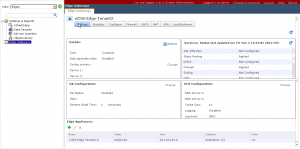
Today I have been working in the lab messing around with vCloud Networking and Security for one of the projects I am working on. With all the new changes in vCloud Networking and Security version 5.1, deploying an edge device needs a little understanding. I have written this blog article to walk you through the steps involved in deploying an edge device, and what to look for when you have deployed it. The following steps show how to deploy a vCloud Networking and Security edge device through the vCloud Networking and Security Manager. Login to the vCloud Networking and Security Manager (formerly and still called vShield Manager) Expand Datacenters, and select the datacenter you want to deploy your edge device in, and select the tab Network Virtualization Select Edges.  You will be shown a list of the current edge devices.  Click the green plus to add a new edge device […]

Continue Reading 4

VMware vCloud Networking and Security 5.1 – Logical Network Preperation

I dont normally re-post video’s on my blog site without any corresponding article, but I am currently working on the VMware vCloud Networking and Security 5.1 product, and found this really helpful video on how to configure Logical networks using VXLAN. This is really useful and well worth a watch if you are configuring VXLAN. Duncan Epping over at Yellow-Bricks has also written a really helpful guide on how to configure VXLAN.

Continue Reading 0
Copyright David Hill

Powered by WordPress. Designed by Woo Themes