Recently one of the projects I have been leading is to create reference architectures for vCloud Air. Lots of people have been asking me what the reference architectures actually cover, and what is the purpose of these. Firstly, I have produced a quick over video talking about a specific reference architecture “Data Center Extension”. In this video I walk through at a high level what you can expect to achieve by reading and leveraging this reference architecture. These reference architectures are expected to be used to supplement the VMware Validated Designs for the Software Defined Data Center. By leveraging this reference architecture you will be able to achieve a true hybrid cloud deployment as shown below: What can you expect from the vCloud Air Reference Architecture? Well here is a quick snippet from the overview section: This document describes, in general terms, what is required to extend an on-premises […]

Configure Screen Rotation RaspberryPI
I have been playing with my Raspberry PI quite a lot lately, but one annoyance is that with some of the Operating Systems you can run on it, you cant change the screen rotation. I use my Raspberry PI on a Dell Monitor that I have rotated 90 degrees. Most of the time this monitor is used for producing documents on it, hence the rotation, but its a nice monitor with lots of inputs, so its great to use with the Raspberry PI. Unfortunatly the OS I run (RISC OS 5) doesn’t support screen rotation natively. However the Raspberry PI output can be rotated quite easily by simply telling the GPU to rotate the output. You do this by editing one of the files in the root of the SD Card, config.txt. Depending on which Operating System your running on your Raspberry PI will depend on how simple or complex […]
Disable Promiscous Mode Authentication VMware Fusion
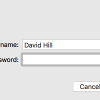
Recently I have been doing a lot of testing and work in VMware Fusion (Version 8.1). However everytime I power on a VM that needs promiscous mode, I am presented with a prompt “A Virtual Machine is attempting to monitor all Network Traffic” and I have to enter my password. This is starting to become frustrating, so I decided I needed to find a way to disable this Authentication request for Fusion. The easiest way is to simply enter a command in the terminal app. sudo touch “/Library/Preferences/VMware Fusion/promiscAuthorized” Make sure Fusion is closed when you run the command. Once you have run the command, close the terminal window and open the VMware Fusion app again. You will now be able to power on all your VMs without ever being prompted for a password again.
“Cannot connect to the App Store” Mac OS X
I have been suffering from this problem for a few days now. Some of my apps won’t even open due to the lack of connectivity with the App Store. After doing the basic googling I found this support article from Apple. https://support.apple.com/en-us/HT203811 OS X: “Cannot connect” or “Cannot connect to the App Store. An internet connection is required” While attempting to use the Mac App Store on your Mac, you may see the message, “Cannot connect to the app store. An internet connection is required.” There are a few different situations that can cause this message to appear. Please consider each of the following situations and their potential resolutions. So I worked through the individual steps and rebooted after each one. After trying the steps to remove Invalid or Incorrect Certificates I got the following error: I knew I was onto the right track. I then followed the steps to edit the […]
Bitnami and VMware vCloud Air
Bitnami recently launched an integrated portal allowing you to deploy any of the Bitnami server applications directly into vCloud Air with (nearly) one click. Today I finally got around to playing with it and have found it extremely simple and easy to quickly deploy anything from Bitnami. You can read the full article about what they built here. For those of you not familiar with what Bitnami does, have a look at the homepage: https://bitnami.com/ From Wikipedia: Bitnami is a library of installers or software packages for web applications and development stacks as well as virtual appliances. Bitnami is sponsored by Bitrock, a company founded in 2003 in Seville, Spain by Daniel Lopez Ridruejo.[1] Bitnami stacks are used for installing software on Linux, Windows, Mac OS X and Solaris.[2] Bitnami VMware vCloud Air Back in June, Roshni Pary and Mike Roy wrote a quick blog article on how to use […]